Spring’s annotation model can feel overwhelming at first. There are annotations for everything: creating beans, scheduling tasks, running things asynchronously, declaring configuration. Understanding what each one does - and more importantly, when each one is appropriate - is the difference between fighting the framework and working with it.
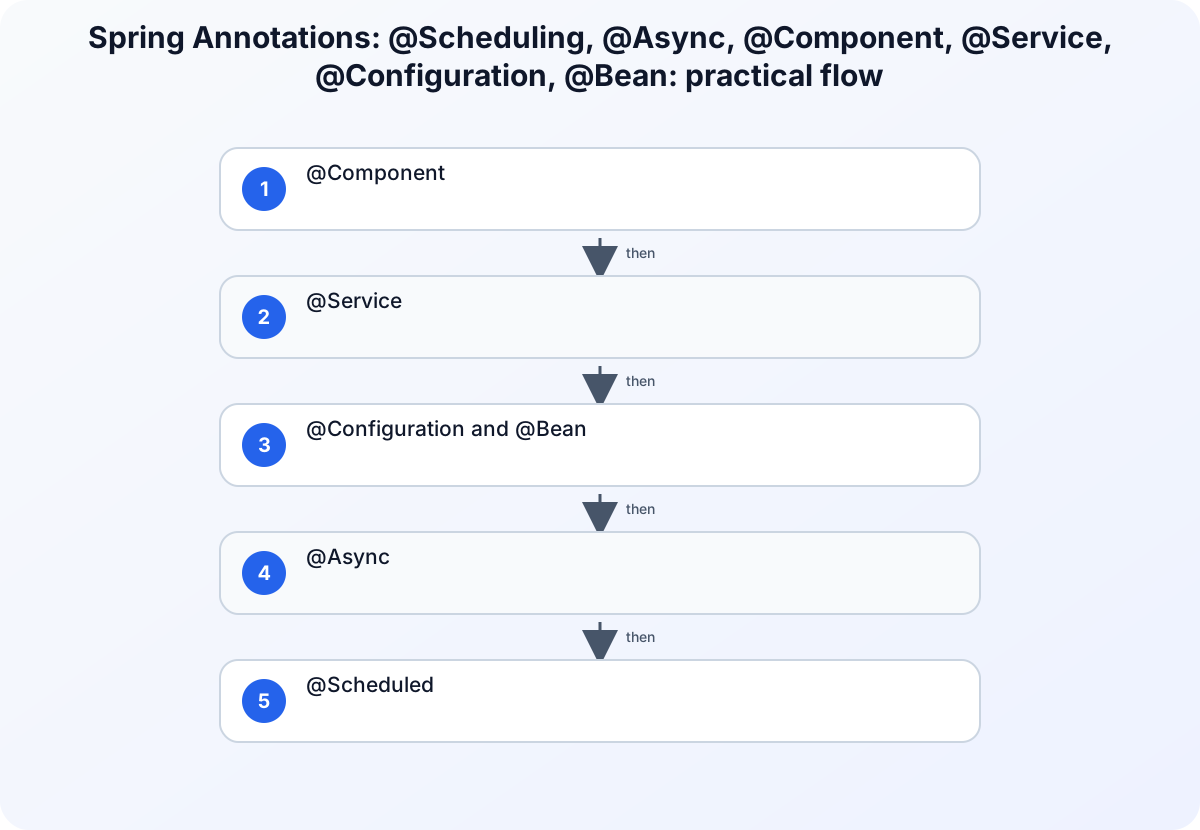
This guide covers six of the most important annotations in day-to-day Spring development.
Reading path: Begin with the concept, use the code or comparison example to make it concrete, and finish with the design trade-off or practical rule.
@Component
The base annotation for any class you want Spring to manage. When Spring’s component scanner finds a class marked with @Component, it instantiates it and adds it to the application context.
@Component
public class FileWatcher {

    public void watch(Path directory) {
        // monitor directory for changes
    }
}
Spring creates one instance of FileWatcher (singleton by default) and injects it wherever it’s needed. You never call new FileWatcher() - Spring handles instantiation and lifecycle.
When to use it: For utility classes, helper components, and anything that doesn’t clearly belong to the service, repository, or controller layers.
@Service
@Service is @Component with a meaningful name. It tells Spring and your teammates that this class contains business logic.
@Service
public class PaymentService {

    private final PaymentGateway gateway;
    private final TransactionRepository transactionRepository;

    public PaymentService(PaymentGateway gateway, TransactionRepository transactionRepository) {
        this.gateway = gateway;
        this.transactionRepository = transactionRepository;
    }

    public Transaction processPayment(PaymentRequest request) {
        // business logic here
        GatewayResponse response = gateway.charge(request.amount(), request.cardToken());

        Transaction tx = new Transaction();
        tx.setStatus(response.success() ? Status.COMPLETED : Status.FAILED);
        tx.setAmount(request.amount());
        tx.setTimestamp(Instant.now());

        return transactionRepository.save(tx);
    }
}
Beyond semantics, @Service also enables AOP (Aspect-Oriented Programming) - things like @Transactional and @Async work on @Service classes because Spring wraps them in proxies.
When to use it: Business logic, use-case implementations, orchestration of multiple repositories or external services.
@Configuration and @Bean
@Configuration marks a class as a source of bean definitions. @Bean annotates methods inside it, telling Spring to call those methods and register their return values as beans.
@Configuration
public class AppConfig {

    @Bean
    public ObjectMapper objectMapper() {
        return new ObjectMapper()
            .configure(DeserializationFeature.FAIL_ON_UNKNOWN_PROPERTIES, false)
            .registerModule(new JavaTimeModule());
    }

    @Bean
    public HttpClient httpClient() {
        return HttpClient.newBuilder()
            .connectTimeout(Duration.ofSeconds(10))
            .version(HttpClient.Version.HTTP_2)
            .build();
    }
}
@Bean is essential for registering third-party objects - classes from external libraries that you can’t annotate with @Component. The @Configuration annotation makes the class a full proxy, ensuring that @Bean methods always return the same singleton instance even if called multiple times.
When to use it: Infrastructure setup (HTTP clients, serialization config, connection pools, security config). Any bean that requires construction-time customization.
@Async
Marks a method to run in a separate thread, returning immediately without waiting for the result.
@Configuration
@EnableAsync
public class AsyncConfig {

    @Bean
    public Executor taskExecutor() {
        ThreadPoolTaskExecutor executor = new ThreadPoolTaskExecutor();
        executor.setCorePoolSize(5);
        executor.setMaxPoolSize(20);
        executor.setQueueCapacity(100);
        executor.setThreadNamePrefix("async-");
        executor.initialize();
        return executor;
    }
}
@Service
public class NotificationService {

    @Async
    public CompletableFuture<Void> sendEmailAsync(String recipient, String subject, String body) {
        // runs in a thread pool, not blocking the caller
        emailProvider.send(recipient, subject, body);
        return CompletableFuture.completedFuture(null);
    }
}
The caller returns immediately. The email sends in a background thread. This is useful for non-critical operations (notifications, logging, webhooks) that shouldn’t slow down the main request path.
@Async only works when called from outside the class - not when one method in the same class calls another @Async method. Spring’s proxy mechanism requires the call to pass through the proxy to intercept it. Internal calls bypass the proxy entirely.
When to use it: Sending emails, notifications, webhooks, audit logging, any operation that’s fire-and-forget from the user’s perspective.
@Scheduled
Runs a method on a schedule - either at a fixed interval, with a fixed delay between runs, or on a cron expression.
@Configuration
@EnableScheduling
public class SchedulingConfig { }
@Component
public class MaintenanceTasks {

    private final SessionRepository sessionRepository;

    public MaintenanceTasks(SessionRepository sessionRepository) {
        this.sessionRepository = sessionRepository;
    }

    // Run at 2:00 AM every day
    @Scheduled(cron = "0 0 2 * * *")
    public void expireOldSessions() {
        Instant cutoff = Instant.now().minus(Duration.ofDays(30));
        int deleted = sessionRepository.deleteExpiredBefore(cutoff);
        log.info("Expired {} sessions older than 30 days", deleted);
    }

    // Run every 5 minutes
    @Scheduled(fixedRate = 300_000)
    public void syncExternalCache() {
        cacheService.refresh();
    }

    // Run 10 seconds after the previous execution completes
    @Scheduled(fixedDelay = 10_000)
    public void healthCheck() {
        healthMonitor.ping();
    }
}
Cron expressions follow the standard format: seconds minutes hours day-of-month month day-of-week.
By default, Spring uses a single thread for all scheduled tasks. If one task takes a long time, it blocks the next scheduled task. For tasks that might run longer than their interval, either use @Async on the scheduled method or configure a TaskScheduler with a thread pool.
When to use it: Database cleanup jobs, cache warming, health checks, report generation, any recurring background work.
Putting It Together
A realistic application uses all of these annotations together:
// Configuration - set up infrastructure beans
@Configuration
@EnableAsync
@EnableScheduling
public class InfrastructureConfig {

    @Bean
    public Executor asyncExecutor() { /* ... */ }
}

// Service - business logic
@Service
public class ReportService {

    @Async
    public CompletableFuture<Report> generateReportAsync(ReportRequest request) {
        // expensive operation runs in background
        return CompletableFuture.supplyAsync(() -> buildReport(request));
    }
}

// Component - background maintenance
@Component
public class ReportCleanup {

    @Scheduled(cron = "0 0 3 * * *")  // 3 AM daily
    public void deleteOldReports() {
        reportRepository.deleteCreatedBefore(Instant.now().minus(Duration.ofDays(90)));
    }
}
Each annotation communicates clear intent: what this class is, what this method does, when it runs, and in which thread.
Quick Reference
| Annotation | Target | Purpose |
|---|---|---|
@Component |
Class | Register as a general Spring bean |
@Service |
Class | Register as a service-layer bean (business logic) |
@Configuration |
Class | Define a bean configuration source |
@Bean |
Method (in @Configuration) |
Register the return value as a bean |
@Async |
Method | Execute in a thread pool, non-blocking |
@Scheduled |
Method | Execute on a schedule (cron, fixed rate, fixed delay) |
Understanding these six annotations covers the vast majority of what you’ll use in a typical Spring application. The rest - @Transactional, @Cacheable, @EventListener - follow the same model and build on the same foundations.